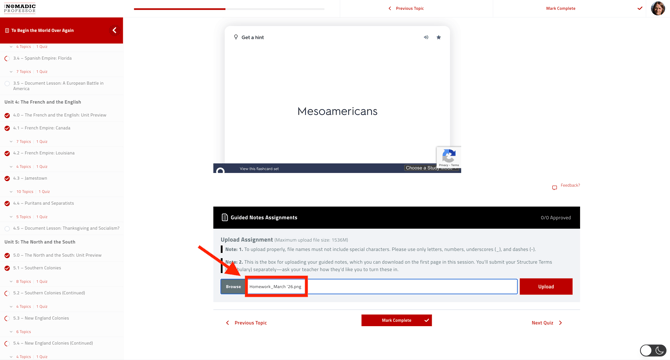
If a student cannot upload an assignment, the issue is usually related to the filename, file size, or browser
- Rename the file using only letters, numbers, underscores, and dashes. Avoid all special characters (e.g., !, ?, ", ', &)
- Reduce file size (attachments should be under 25MB)
- Try Chrome or Safari
- Close and reopen the browser