Why Clearing Cache Helps
Old or corrupted cached data can interfere with logins, media playback, and page loading. Clearing cache and cookies often resolves strange or intermittent issues
How to Clear Cache in Chrome
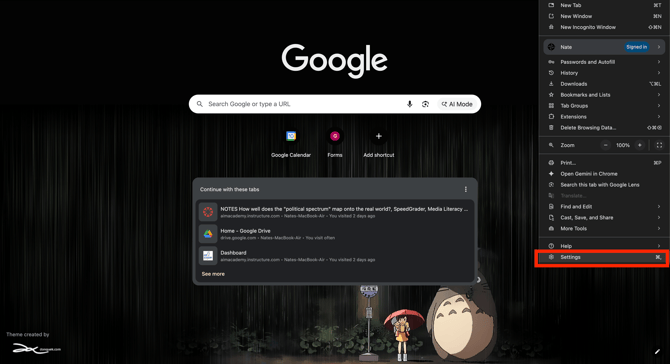
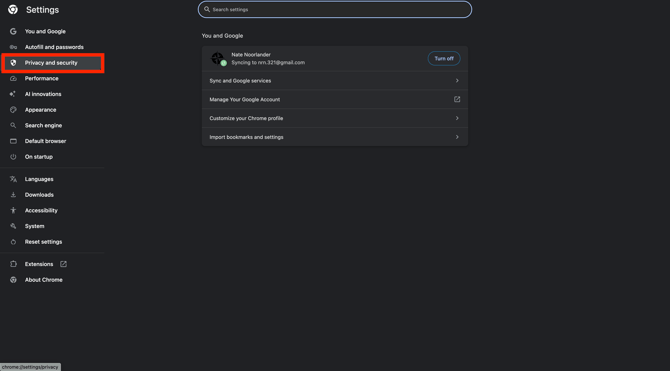
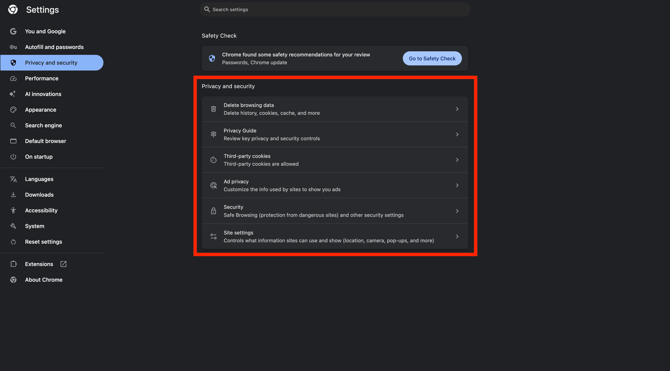
Go to Settings → Privacy and security → Clear browsing data. Choose cached images and files and cookies for an appropriate time range, then restart the browser
After Clearing Cache
Log back into The Nomadic Professor and test the problematic page or media again