
Quiz Reports help you review detailed quiz performance. You can review scores, attempts, and completion status
How to Access Quiz Reports
- View a comprehensive grading tutorial here, or follow the steps below
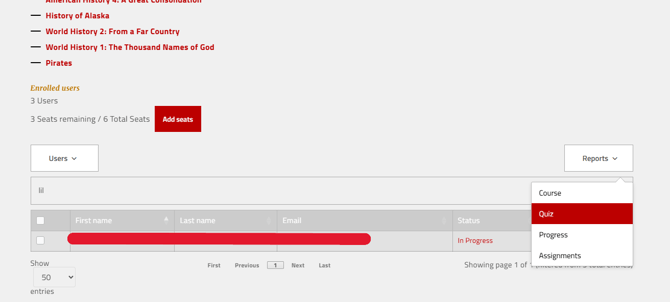
- Go to the My Groups page
- Open the Reports dropdown
- Select Quiz
-
Select the Course and the Quiz number in the dropdown boxes.
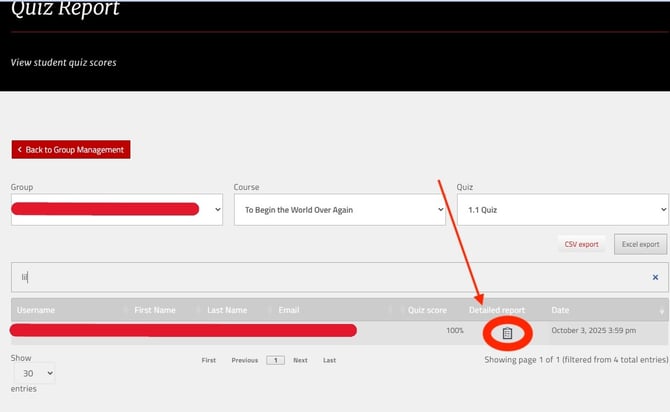
- You will see all attempts for that quiz, with an option to view a Detailed report with right and wrong answers, and feedback for all questions
- Identify topics where students are struggling
- See whether students are using all their attempts
- Check completion before moving on to major assignments
Resetting Quiz Attempts
- By default, students receive have up to five attempts on each on quiz. If a student needs additional attempts beyond the limit, contact support (support@nomadicprofessor.com) with:
- The student’s name and email
- The course and quiz name