
Group Leaders are instructors, TAs, Educational Specialists, Contact Teachers, or parents who share access to a Group. Adding an additional Group Leader allows another adult to view student progress, grade work, and access instructor-only materials for that Group
When to Add a Group Leader
- Two parents are jointly monitoring a student’s work
- Multiple teachers share the same class or section
- A co-op wants both the main teacher and an assistant or parent to have access
- NOTE: Group Leaders can see all student work in the the group; if you would like to add a Group Leader but limit which students they can oversee, it's possible in limited contexts; email support@nomadicprofessor.com for help
How to Add a Group Leader
- Go to the My Groups page
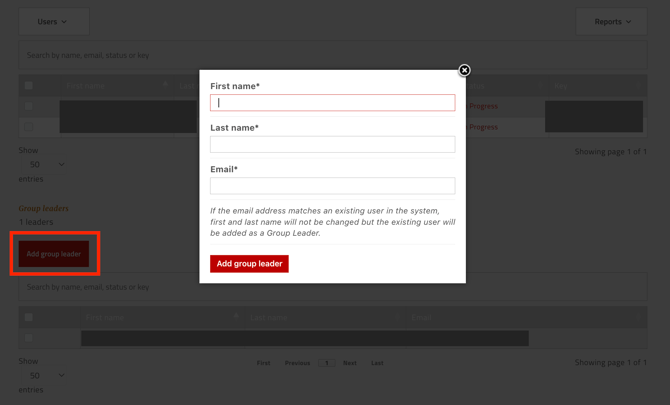
- Scroll down to the Group Leaders section (below the Enrolled Users table)
- Click Add Group Leader
- Search for the person’s email address in the search box
- If their account exists, select it and confirm to add them as a Group Leader
- If their account does not exist, they will receive an invitation to join your Group
Removing a Group Leader
- In the Group Leaders section, find the leader you wish to remove
- Click the remove or delete icon next to their name
- Confirm the removal
After removal, that person will no longer be able to access student progress, grades, or instructor-only materials for this Group