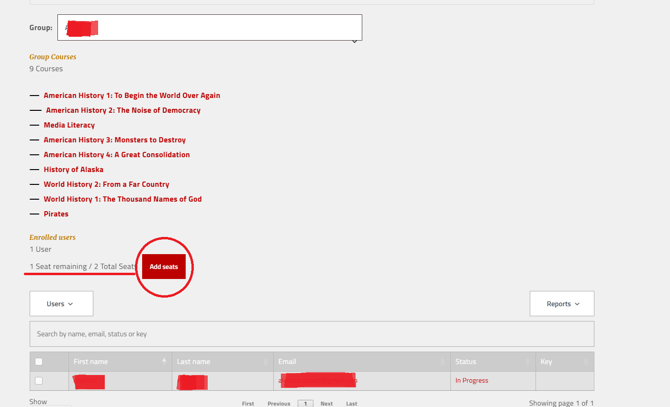
Automatic Seat Creation
When your order is processed, the correct number of student seats are automatically added to the Group associated with your purchase. The My Groups page will show how many seats are available and how many are in use.
Increasing Seat Counts
If you need more seats than originally purchased—for example, if your co-op or classroom grows—you can request additional seats. In many cases this involves an additional payment through your original purchasing method (credit card, ESA marketplace, or charter).
Who to Contact
If your seat totals do not look correct or you are unsure whether you have enough for your students, email support with your name, the email on your account, and roughly how many students you are planning to enroll: support@nomadicprofessor.com